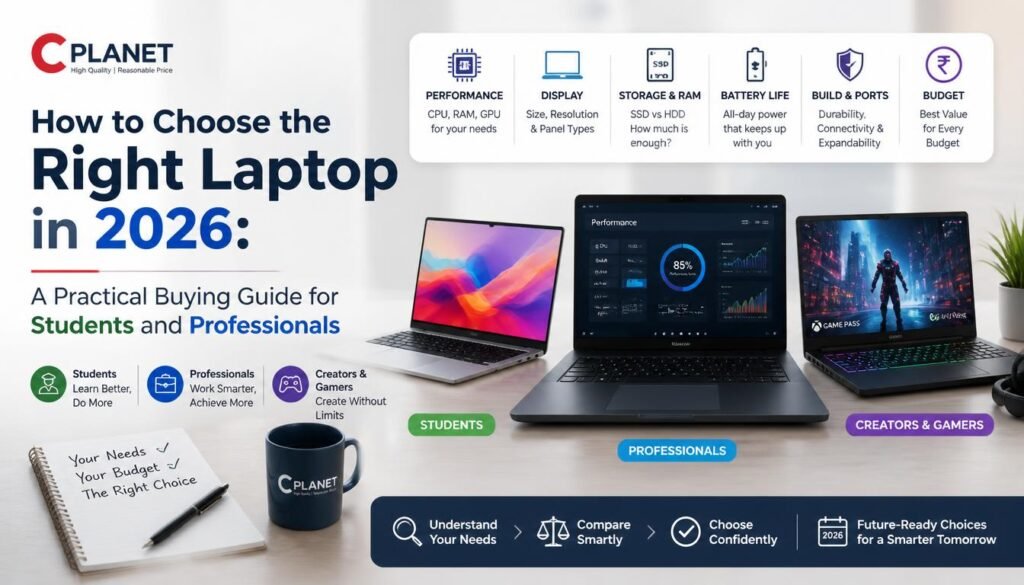
How to Choose the Right Laptop in 2026 A Practical Buying Guide for Students and Professionals
Buying a laptop in 2026 can be surprisingly confusing. A quick search brings up hundreds of models with different processors, graphics cards, display types, RAM configurations and storage options. Two laptops that look almost identical can also perform very differently depending on their internal specifications.
The good news is that most buyers do not need the most expensive machine available. The right laptop is the one that matches your actual workload, budget and expected years of use.
Whether you need a laptop for university, office work, programming, content creation or gaming, understanding a few important specifications can make the buying process much easier.
Start With Your Actual Use Case
Before comparing brands or prices, decide what you expect the laptop to do.
A student who mainly attends online classes, creates presentations, browses the web and works on documents has very different requirements from someone editing 4K video or playing modern games.
Most buyers can be divided into a few broad categories.
Students and Everyday Users
For everyday academic work, web browsing, video calls, streaming and Microsoft Office-type applications, a modern entry-level or mid-range processor is generally sufficient.
Prioritize:
- Good battery life
- At least 8GB RAM
- SSD storage
- A comfortable keyboard
- A Full HD or better display
- Lightweight construction if you carry the laptop regularly
Students should generally avoid paying extra for powerful dedicated graphics unless their coursework involves 3D modelling, video production, engineering applications or similar workloads.
Office and Business Users
Business users often need reliability more than extreme performance.
A good business laptop should offer a responsive processor, adequate memory, fast SSD storage, strong battery life and sufficient connectivity for monitors and other peripherals.
Build quality also becomes more important when a laptop is used every day or regularly carried between home, office and meetings.
For broader technology-related information and developments, readers can also explore the Technology section on WikiNewsPortal for related articles and updates.
Programmers and Developers
Programming requirements vary significantly.
Basic web development and coding can run comfortably on many mainstream laptops. However, developers working with virtual machines, large development environments, local databases, Android development or AI-related applications may benefit considerably from additional RAM and a faster processor.
For development-oriented users, 16GB RAM has become a sensible target because it provides more headroom for multitasking.
Storage matters as well. A 512GB SSD is a practical starting point if you expect to install multiple development tools and maintain several projects locally.
Content Creators
Video editors, photographers, designers and other creators need to pay closer attention to the display and GPU.
A laptop can have an excellent processor and still be a poor choice for professional creative work if its screen has weak colour reproduction.
Creators should consider:
- Display colour accuracy
- Screen resolution
- Processor performance
- Dedicated GPU where required
- 16GB or more RAM
- Fast SSD storage
- Appropriate ports for cameras, storage drives and external displays
The exact configuration should depend on the applications you use rather than simply choosing the laptop with the longest specification sheet.
Gaming Laptops
Gaming is one area where the graphics processor can be just as important as the CPU.
When comparing gaming laptops, look beyond the GPU model name. Cooling performance, GPU power limits, screen refresh rate and RAM configuration can all affect the actual gaming experience.
A balanced gaming laptop should combine a capable CPU and GPU with adequate cooling rather than investing most of the budget in one component.
If you are comparing gaming and regular laptops available in Nepal, Computer Planet provides listings across laptops, gaming systems, monitors and computer hardware, which can be useful for comparing specifications before making a purchase.
How Much RAM Do You Really Need?
RAM is one of the easiest specifications to misunderstand.
For basic browsing, documents and streaming, 8GB can still handle ordinary workloads. However, 16GB provides considerably more flexibility for users who frequently keep many browser tabs and applications open.
For programming, gaming, professional editing, virtual machines and heavier workloads, 16GB should generally be considered a more practical starting point.
Advanced creative and technical users may need 32GB or more.
Another important factor is upgradeability. Some thin laptops have memory permanently soldered to the motherboard. If the laptop cannot be upgraded later, buying enough RAM from the beginning becomes more important.
SSD Storage Should Be a Priority
An SSD is one of the most noticeable performance improvements in a modern computer.
Compared with older mechanical hard drives, SSDs provide much faster boot times, application loading and file access.
For most people:
256GB: suitable mainly for light users with limited local files.
512GB: a practical balance for students, professionals and general users.
1TB: better for gamers, creators and people storing large quantities of files locally.
Storage requirements can grow quickly, so consider what you may need two or three years from now rather than focusing only on your current files.
Processor Names Don’t Tell the Whole Story
It is tempting to assume that a higher processor number automatically means a faster laptop.
That is not always the case.
Processor generation, architecture, power limits and the laptop’s cooling design can all influence performance. A newer mid-range processor may outperform an older model that originally belonged to a higher product tier.
Instead of buying based purely on labels such as Core i5, Core i7 or Ryzen 5, compare the exact processor model and relevant benchmarks for your workload.
Integrated vs Dedicated Graphics
Integrated graphics are built into the processor and are suitable for everyday computing, media consumption, office applications and many lightweight creative tasks.
Dedicated GPUs provide substantially greater graphics processing capability and are useful for gaming, 3D applications, certain engineering workloads, video production and GPU-accelerated professional software.
However, dedicated graphics usually increase the laptop’s cost, weight, heat output and power consumption.
If your applications do not require a dedicated GPU, paying for one may offer little practical benefit.
Don’t Ignore the Display
The display is the part of the laptop you interact with continuously, yet buyers often concentrate almost entirely on CPU and RAM.
Consider four main factors:
Resolution
Full HD remains adequate for many laptops, while higher-resolution panels can provide sharper text and more workspace.
Panel Quality
A quality IPS or OLED display can provide better viewing angles and visual quality than lower-end panels.
Refresh Rate
A standard refresh rate is adequate for everyday productivity. Higher refresh rates are particularly attractive for gaming and users who prefer smoother motion.
Colour Accuracy
This becomes especially important for photography, graphic design and video editing.
Battery Life Matters More Than Specifications Suggest
Manufacturer battery claims should be treated as estimates rather than guarantees.
Actual battery life depends on brightness, processor workload, background applications, wireless connectivity and power settings.
Gaming laptops and high-performance workstations generally provide shorter unplugged runtimes than thin productivity laptops.
Students and travelling professionals should therefore place battery efficiency relatively high on their priority list.
Check Ports Before Buying
Modern laptops increasingly use fewer physical ports.
Before purchasing, check whether you need:
- USB-A
- USB-C
- HDMI
- Ethernet
- SD or microSD card reader
- Headphone jack
- Thunderbolt or other high-speed connectivity
Buying an extremely thin laptop can become inconvenient if you constantly need adapters for devices you use every day.
Should You Buy a Laptop Online or Offline?
Both approaches have advantages.
Online shopping makes comparing models, specifications and prices easier. Physical stores allow you to inspect keyboard quality, display size, weight and overall construction before buying.
A useful approach is to research online first, shortlist two or three models and then compare the final price, warranty and after-sales conditions.
Buyers in Nepal can, for example, compare current laptop and computer categories through Computer Planet Nepal before deciding which configuration fits their requirements.
Warranty and After-Sales Support Matter
A laptop is generally a multi-year purchase.
Saving a small amount initially may not be worthwhile if the product comes without reliable warranty coverage or after-sales assistance.
Before buying, verify:
- Warranty duration
- What the warranty covers
- Whether the product is genuine
- Service availability
- Return or replacement conditions
- Availability of replacement parts
These factors become particularly important for expensive gaming and professional laptops.
Common Laptop Buying Mistakes
Many disappointing purchases happen because buyers focus on one impressive specification while ignoring the overall configuration.
Common mistakes include buying more processing power than necessary, choosing insufficient RAM, purchasing too little storage, ignoring screen quality and buying a gaming GPU for workloads that never use it.
Another mistake is choosing entirely by brand.
Every major laptop manufacturer produces different product ranges for different budgets. A brand may have excellent premium models while its entry-level devices serve a completely different audience.
Compare individual models rather than assuming that every laptop from one manufacturer will provide the same experience.
A Simple Laptop Buying Formula
Instead of searching endlessly through specifications, follow this order:
Step 1: Define your main workload.
Step 2: Set a realistic maximum budget.
Step 3: Select the processor and GPU appropriate for that workload.
Step 4: Decide how much RAM and storage you need.
Step 5: Compare display, battery life, keyboard, weight and ports.
Step 6: Check warranty and after-sales support.
Step 7: Compare several sellers and configurations before purchasing.
Following this sequence makes it much easier to eliminate unsuitable models.
Final Thoughts
There is no single “best laptop” for everyone.
A student may value portability and battery life, while a gamer prioritizes GPU performance and cooling. A programmer may need additional memory, while a designer may care more about display quality and colour accuracy.
The smartest approach is therefore to purchase according to workload rather than marketing labels.
Research the exact specifications, compare multiple models and pay attention to warranty and long-term usability. For buyers researching laptops and computer hardware available in Nepal, resources such as Computer Planet can provide an additional reference point when comparing available product categories and specifications.
A carefully selected laptop should not simply look powerful on its specification sheet. It should remain useful, reliable and appropriate for the work you actually perform for years to come.