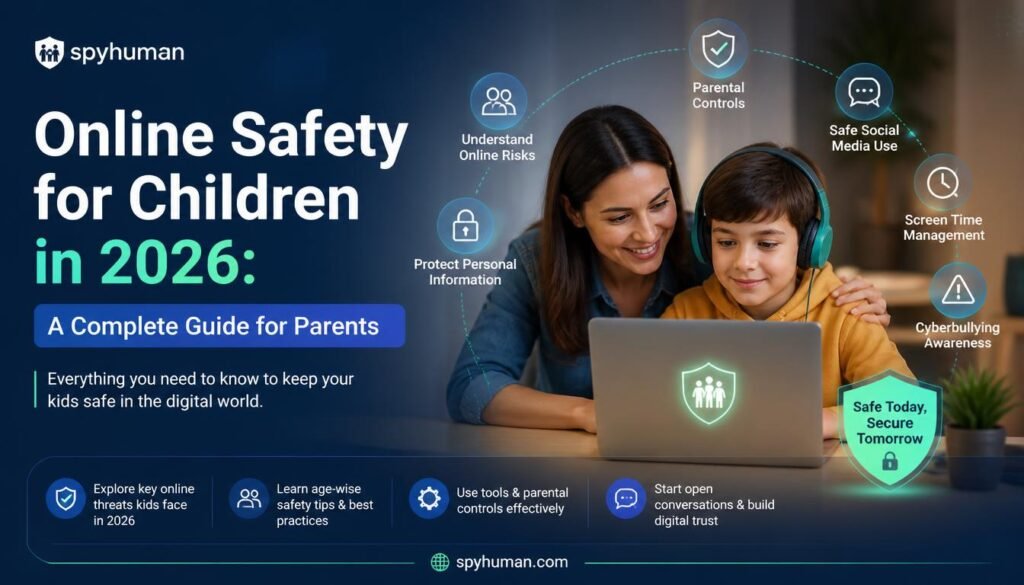
Online Safety for Children in 2026 A Complete Guide for Parents
Online Safety for Children in 2026: Smartphones have become an important part of everyday life. Children use them for online classes, research, entertainment, gaming, communication and social media. While this access creates valuable opportunities, it also introduces challenges that parents cannot afford to ignore.
Cyberbullying, inappropriate content, excessive screen time, suspicious online contacts and privacy risks are some of the issues families may encounter. The objective, however, should not be to treat every online activity as suspicious. A more effective approach combines communication, digital education, sensible boundaries and appropriate parental-control tools.
This guide explains how parents can build a safer digital environment without losing sight of trust and responsible technology use.
Why Digital Safety Has Become a Parenting Priority
The internet children use today is significantly different from the comparatively simple web of the past.
A single smartphone can provide access to messaging applications, social networks, games, streaming platforms, websites and online communities. Children may move between these services throughout the day, which can make it difficult for parents to understand the risks they encounter.
Some of the most important areas parents should pay attention to include:
- excessive screen time;
- communication with unknown people;
- cyberbullying and harassment;
- inappropriate websites and online content;
- privacy and oversharing;
- suspicious links and online scams;
- unhealthy dependence on particular applications.
Technology itself is not necessarily the problem. The larger issue is whether children have the knowledge and support required to use it responsibly.
1. Start With Communication, Not Technology
Parental-control software should not replace conversations about internet safety.
Children should understand why certain online behaviors can create risks. Parents can discuss subjects such as accepting requests from strangers, sharing photographs publicly, revealing personal information and clicking unfamiliar links.
These conversations also create an important safety channel. If a child encounters something disturbing online, they should feel able to speak with a trusted adult rather than hide the situation because they fear punishment.
A useful family digital-safety policy can therefore establish clear expectations about:
- which applications may be installed;
- when phones can be used;
- what information should remain private;
- how to respond to strangers online;
- what to do when suspicious or uncomfortable content appears.
The purpose is to make responsible digital behavior part of everyday life.
2. Pay Attention to Screen Time
Screen time is one of the easiest areas for families to overlook.
A smartphone can quickly consume time originally intended for homework, outdoor activities, hobbies, family interaction and sleep. Instead of imposing an unrealistic total ban, parents can establish predictable boundaries.
For example, families may designate homework periods, mealtimes and bedtime as low-phone or phone-free periods.
Parents should also look beyond the total number of hours. The way screen time is being used matters. Spending an hour researching a school project is very different from spending the same amount of time endlessly scrolling through short-form content.
3. Teach Children to Protect Personal Information
Children may not immediately understand the long-term consequences of sharing personal information online.
Names, photographs, school information, location details and other identifying information can reveal more than expected when combined across several social platforms.
Parents should therefore explain basic privacy practices, including using strong passwords, reviewing privacy settings, avoiding unnecessary location sharing and refusing suspicious requests for personal information.
It is also worth teaching children that deleting a post does not necessarily guarantee that every copy of it disappears.
4. Understand Who Children Communicate With Online
Online communication can be beneficial. Children can collaborate with classmates, maintain friendships and participate in communities based on shared interests.
At the same time, parents should teach children that an online profile does not automatically prove someone’s identity.
Warning signs can include an unknown person repeatedly requesting private information, pressuring a child to keep conversations secret, sending suspicious links or attempting to move conversations into increasingly private channels.
The most valuable protection is teaching children how to recognize those warning signs and report uncomfortable interactions.
5. Consider Parental Controls When Appropriate
Built-in smartphone settings and parental-control applications can supplement good parenting practices.
Depending on the platform, these tools may provide features for managing screen time, reviewing app usage, restricting websites or understanding location information.
For Android families looking into this category, SpyHuman is one example of a parental-control and phone-monitoring platform. According to its official information, its Android tools include capabilities related to call and SMS activity, location, browsing, social applications, screen time and app management.
Such technology should be used responsibly and only where the parent, guardian or device owner has the appropriate authority to do so. Laws and consent requirements can vary by jurisdiction, particularly when monitoring adults or workplace devices.
The important principle is simple: parental controls should support digital safety rather than become a substitute for trust, communication and education.
6. Use Location Features for Safety, Not Constant Surveillance
Location-sharing features can be useful in appropriate circumstances.
For example, families may use location information to confirm that a child has safely reached school, home or another expected destination. Some parental-control platforms also provide geofencing, which can generate an alert when a device enters or leaves a predefined area.
However, parents should consider the child’s age and maturity when deciding how extensively these features should be used.
As children become older and more independent, digital-safety arrangements should evolve accordingly.
7. Review Apps and Permissions
Applications routinely request access to information such as location, photographs, contacts, microphone or camera.
Not every permission is necessarily required for an app’s core purpose.
Parents can periodically review installed applications with their children and ask several basic questions:
Does the child still use the application?
Does the app need every permission it has?
Who can see the child’s profile?
Is location sharing enabled?
Can strangers contact the account?
This simple review can become an effective digital-security habit.
8. Teach Children to Recognize Online Scams
Scammers increasingly use convincing messages, fake prizes, impersonation and urgent warnings to persuade users to click links or provide information.
Children should learn a simple rule: urgency is not proof that a message is genuine.
Unexpected messages asking for passwords, verification codes, payments or sensitive information should be treated cautiously. When uncertain, children should check with a parent or another trusted adult before responding.
This lesson becomes increasingly valuable as children begin independently using more online services.
9. Create Technology-Free Spaces
Healthy digital habits are easier to maintain when families establish boundaries that apply consistently.
The dinner table, family activities and bedtime are common examples of situations where reducing smartphone use can be beneficial.
Parents can also model the behavior they expect. Rules are considerably easier for children to accept when adults follow similar principles themselves.
10. Review the Family’s Digital-Safety Plan Regularly
Digital safety is not something parents can configure once and forget.
Children grow older. Their interests change. New apps appear. School requirements evolve. The level of independence appropriate for a 10-year-old may be completely different from what is appropriate several years later.
Families should periodically reconsider:
- screen-time limits;
- installed applications;
- privacy settings;
- parental controls;
- social-media use;
- location-sharing arrangements;
- household internet rules.
The goal should be gradually developing independent and responsible technology habits.
Parental Controls vs Digital Education: Which Is More Important?
Neither should completely replace the other.
Parental controls can provide technical safeguards, while education helps children make sensible decisions when parents are not present.
A balanced approach generally follows this pattern:
Communication + Education + Reasonable Boundaries + Appropriate Technology
Technology may help parents identify or reduce certain risks, but long-term digital safety depends heavily on children learning how to recognize those risks themselves.
Choosing a Parental-Control Solution
Parents considering parental-control software should evaluate products carefully instead of selecting an application solely because it promises the largest number of monitoring features.
Important factors include device compatibility, privacy protections, ease of use, available controls, transparency about limitations, customer support and applicable consent requirements.
Parents should also be skeptical of products claiming that they can remotely access any smartphone without installation or authorization. Legitimate parental-control products should clearly explain their setup requirements and intended uses.
Frequently Asked Questions
Are parental-control apps useful?
They can be useful as one component of a broader digital-safety strategy. Depending on the application, parents may be able to manage screen time, app usage, websites or location features. They work best when combined with clear family rules and communication.
Should parents check everything their children do online?
The appropriate level of supervision depends on factors such as age, maturity and specific safety concerns. Younger children generally require greater supervision, while older children benefit from progressively greater independence alongside clear safety expectations.
How can parents reduce excessive smartphone use?
Establish predictable phone-free periods, encourage offline activities, review which applications consume the most time and create household rules that adults follow as well.
What should children do if a stranger contacts them online?
They should avoid providing personal information or following suspicious requests and tell a parent, guardian or another trusted adult when an interaction makes them uncomfortable.
Can parental controls replace conversations about internet safety?
No. Software can provide technical controls, but it cannot teach judgment. Children still need to understand privacy, scams, cyberbullying, suspicious contacts and responsible social-media behavior.
Final Thoughts
Protecting children online does not require eliminating smartphones from their lives. It requires helping them learn how to use technology safely.
Parents can begin with open communication, establish sensible screen-time boundaries, teach privacy and scam awareness, periodically review apps and permissions, and use appropriate parental-control features where additional safeguards are justified.
Most importantly, digital supervision should change as children mature. The long-term objective is not permanent monitoring; it is helping young people develop enough knowledge and judgment to navigate the digital world responsibly on their own.