A business can finish the month with strong sales and still struggle to explain where its money went. Customer invoices remain unpaid, supplier bills arrive through several channels, and card settlements do not always match the daily sales total. By the time the records are reconciled, the owner is already making decisions for the next month.
Choosing accounting software for a UAE business starts with these everyday problems. The right system should help employees record transactions consistently and give managers a clear view of income, expenses, outstanding balances, and supporting documents.
A polished dashboard is useful only when the numbers behind it can be checked. Before comparing subscriptions, examine how each platform handles the transactions your team deals with every day.
What Should Accounting Software Help You Do?
Accounting software records and organises financial transactions so a business can monitor its position and prepare reports. Depending on the product, it may include invoicing, customer balances, supplier bills, bank reconciliation, expense tracking, and links to inventory or point-of-sale systems.
The important connection is between the original activity and its accounting record. A customer payment should be linked to the correct invoice. A supplier bill should remain traceable to its supporting document. A report should allow the accountant to investigate the entries behind a total.
These connections reduce the effort needed to explain differences and correct mistakes.
1. Match the System to Your Business Model
A consultancy, a grocery store, and an automotive workshop have different accounting workflows.
A consultancy may need project references, staged invoicing, and clear tracking of unpaid fees. A retailer may need sales summaries, refunds, payment-method reconciliation, and inventory costs. A workshop may need parts and labour to flow from a completed job into billing.
When evaluating accounting software for a UAE business, list the transactions that take the most time or generate the most corrections. Use that list to build your demonstration brief.
Also distinguish branches from separate legal entities. Ask how the software organises each, what reports it can produce, and whether additional accounts or subscriptions are needed. A multi-branch dashboard does not automatically provide everything required for separate companies.
2. Check the Complete Invoice-to-Payment Process
Creating an invoice is only the beginning. Customers may pay in instalments, make an advance payment, request a correction, or transfer money without including the invoice number.
Ask the vendor to demonstrate those situations using sample transactions. Staff should be able to identify what was billed, what was received, and what remains outstanding.
For example, an illustrative invoice with a total of AED 8,000 and a correctly allocated payment of AED 3,000 should leave an outstanding balance of AED 5,000, assuming no other adjustments. The customer statement should make that relationship easy to follow.
Check how the platform handles credit notes and corrections as well. Your accountant should be able to explain the revised balance without reconstructing the transaction from messages and spreadsheets.
3. Review Expenses and Supplier Balances Together
A receipt stored on an employee’s phone is easy to forget. A supplier bill entered twice can be difficult to spot when several people are processing purchases.
A useful expense workflow captures the document, supplier, date, amount, category, and payment status. Where supported, approvals and duplicate warnings can provide additional checks.
Supplier reports should also distinguish bills already paid from amounts still due. Otherwise, a manager may mistake a recorded expense for a payment that has actually left the bank.
Bring a few representative expenses to the demonstration: a recurring service bill, a stock purchase, and an employee reimbursement. Confirm how supporting documents are attached and how the accountant reviews their classification.
4. Test Bank and Payment Reconciliation
Sales totals and bank deposits do not always match one for one. A card processor may settle several days together, deduct fees, or pay after the sale date. Refunds and deposits can create further differences.
Accounting software should provide a practical way to explain those differences. Ask whether the proposed package supports manual matching, statement imports, or direct bank connections, and which banks or formats are actually supported.
Consider an illustrative card-sales total of AED 10,000 followed by a net settlement of AED 9,800. If the difference consists entirely of AED 200 in documented processing fees, staff should be able to record and reconcile that relationship.
An unexplained difference should remain visible for investigation. Automatically accepting a suggested match without reviewing it can hide errors rather than resolve them.
5. Evaluate Tax Support With Your Accountant
UAE tax reporting needs should be part of the selection process, but a “VAT-ready” label does not explain how a product handles your particular transactions.
Ask your accountant to review sample invoice formats, tax settings, credit notes, and report exports. Confirm that the system can represent the transaction types your business actually uses and preserve the information needed to review them.
For official guidance, consult the Federal Tax Authority’s VAT resources, which provide access to VAT topics, guides, and public clarifications.
Keep bookkeeping, tax calculation, and submission capabilities distinct during the demonstration. A report export does not necessarily mean the software submits a return. Likewise, generating a financial statement does not establish that every tax adjustment has been addressed.
The aim is to choose software your accountant can configure, check, and work with confidently.
6. Look Beyond the Headline Dashboard
A total-sales figure tells only part of the story. Managers also need to know which customers owe money, which suppliers are due for payment, and whether costs are changing.
Depending on your business, useful reports may include:
- Profit and loss by reporting period.
- Balance sheet.
- Customer balances grouped by how long they have been outstanding.
- Supplier balances and upcoming due dates.
- Cash movement and bank reconciliation reports.
- Sales and costs by branch or business activity.
Request a demonstration of moving from a report total to its underlying transactions. This is particularly valuable when a number looks unusual.
When choosing accounting software for a UAE business, also check the export options. Your accountant should be able to obtain usable records without relying on screenshots or manually copying dashboard figures.
7. Plan Access, Migration, and Daily Ownership
A new system will not fix inconsistent opening data by itself. Before migration, review customer and supplier lists, outstanding invoices, account categories, and opening balances.
Agree on who prepares the data, who imports it, and who checks the result. Select a clear changeover date and retain access to historical records.
Set permissions according to each employee’s responsibilities. Someone who creates invoices may not need access to bank details or permission to change account settings. Ask whether changes are logged and whether completed accounting periods can be protected from casual edits.
Finally, compare the full cost: subscription, additional users, implementation, training, integrations, and ongoing support. Confirm how the business can export its records if it later changes platforms.
Where BizModo Fits Into the Shortlist
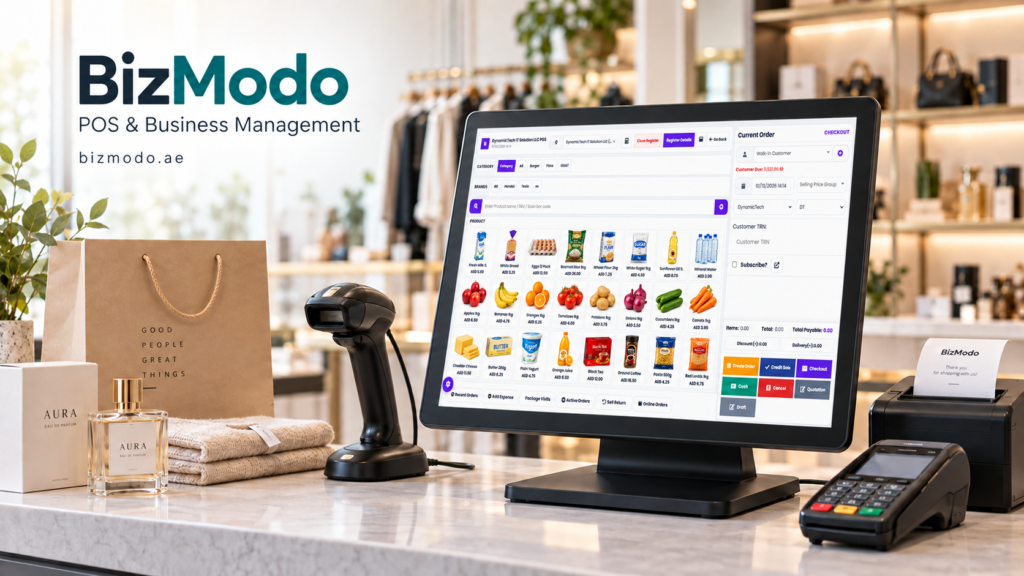
Businesses researching accounting software for a UAE business can consider BizModo’s published accounting and POS offering. Its service page describes VAT invoicing, financial and tax report exports, inventory tracking, role-based access, and Arabic and English invoice formats.
These capabilities provide a starting point for evaluation. Ask BizModo to demonstrate your own sales, purchase, payment, and reporting workflows, and confirm which functions are included in the proposed configuration.
For a business that wants its shop-floor activity and accounting records connected, the demonstration should show exactly how transactions move between the relevant modules and how corrections are handled.
Choose a System Your Team Can Maintain
Begin with one measurable goal, such as reducing unmatched payments, producing customer statements faster, or completing the monthly review with fewer missing documents.
Run a small pilot using representative transactions. Compare its output with your existing records, resolve differences, and train the employees responsible for daily entries.
The value of accounting software comes from reliable information that people can use. When each balance can be explained and each transaction can be traced, owners gain a clearer foundation for planning purchases, following up payments, and understanding business performance.