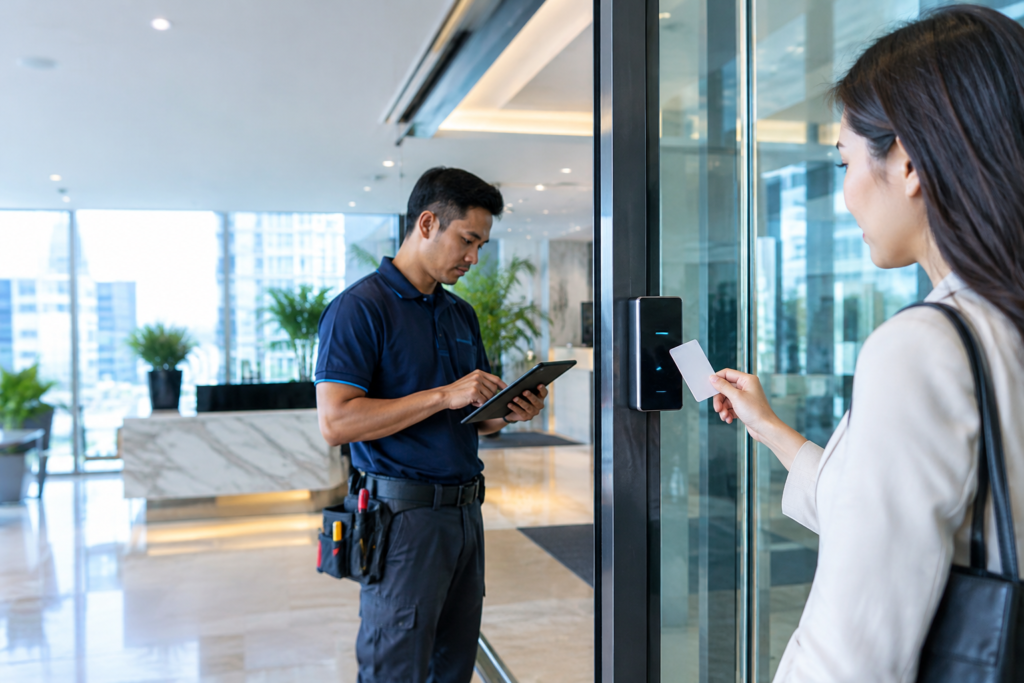
An older access control system can continue opening doors reliably while quietly becoming harder to maintain. Replacement readers may be difficult to source, management software may no longer suit the organisation’s requirements, and access permissions may depend on outdated administrative processes. For Singapore businesses operating established offices or commercial buildings, a legacy access control system upgrade can provide an opportunity to address these issues without automatically assuming that every existing component must be replaced.
The key is to understand what still works, what creates risk, and which parts are compatible with a modern solution. A carefully planned access control system upgrade can help improve administration, address hardware limitations, and prepare the premises for future requirements while taking existing infrastructure and business continuity into account. The most cost-effective approach is not necessarily the one with the fewest new components, but the one that meets the required outcomes with a clearly understood scope.
When Should You Upgrade an Existing Access Control System?
Age alone does not determine whether a system needs replacing. An older installation may remain suitable if its hardware is supported, permissions are manageable, and it meets the organisation’s security requirements. Conversely, a relatively recent system may need attention if it cannot support necessary integrations or if its configuration has become difficult to administer.
A commercial access control system upgrade is worth assessing when faults become more frequent, replacement parts are unavailable, software support is limited, or the existing platform cannot accommodate new doors and user groups. Other warning signs include poor documentation, unclear administrator responsibilities, and a lack of reliable procedures for handling lost credentials or employee departures.
Identify the Problems Before Selecting New Equipment
Start by documenting the problems the upgrade should solve. The business may need faster credential administration, improved event reporting, support for mobile credentials, more reliable hardware, or integration with compatible CCTV and alarm systems.
This assessment helps prevent unnecessary spending on features that do not address the actual issue. It also gives suppliers a clearer basis for recommending equipment and preparing quotations that can be compared on a like-for-like basis.
Review Hardware and Software Compatibility
An existing installation may contain readers, electronic locks, controllers, power supplies, cabling, and management software from different generations. Some components may be reusable, while others may be incompatible with the proposed replacement platform or no longer supported by their manufacturer.
Before committing to a door access control system upgrade, confirm compatibility with the equipment manufacturers or qualified technical personnel. Reusing hardware without checking its condition and technical limitations can create reliability problems that become apparent only after installation.
Should You Replace the Entire System or Upgrade in Stages?
A full replacement may be appropriate when the existing platform is unsupported, important components are failing, or the business needs capabilities that cannot reasonably be added to the current installation. It can also simplify long-term management when the existing environment contains incompatible devices and fragmented administration.
A phased access control upgrade may be more practical when the current system remains operational and only selected components need attention. For example, the business might upgrade the management platform or selected doors first, provided the proposed architecture supports a safe and reliable transition. The decision should be based on compatibility, risk, project cost, and the consequences of temporary disruption.
Understand the Risks of a Phased Upgrade
A staged project can spread expenditure over time, but it requires careful coordination between old and new components. Different systems may use separate credentials, management interfaces, or communication protocols, creating additional administrative work if the transition is not planned properly.
The project scope should explain how each phase will operate, which components remain active, and how permissions will be managed during the changeover. It should also identify rollback arrangements where appropriate, so the business understands how issues will be handled if a planned transition does not work as expected.
Protect Existing User Records and Access Permissions
Migrating access records requires more than copying a spreadsheet of employee names. User identities, credential formats, access groups, schedules, and administrator permissions may need to be reviewed or recreated according to the new platform’s capabilities.
Before migration, establish which records are necessary, who approves the new permission structure, and how the results will be verified. Sensitive information should be handled through an approved process, and old credentials should be revoked when appropriate to prevent users from retaining access they no longer require.
How to Plan an Access Control System Upgrade
Begin with a site survey covering all controlled doors, reader types, locking hardware, controllers, cable routes, power arrangements, and network infrastructure. Record the current system’s limitations and identify which existing components are suitable for continued use, subject to technical verification.
The next step is to define the target configuration. Specify the required user groups, access schedules, reporting functions, integrations, and future expansion needs. A clear specification makes it easier to compare proposals and reduces the risk of discovering essential requirements after the equipment has already been purchased.
Test the New System Before Handover
Testing should verify each controlled door, credential type, access permission, schedule, and supported integration. The business should also confirm door behaviour during relevant fault conditions, including power or network interruptions, according to the installed system’s design.
Administrators need practical training on creating users, revoking credentials, changing access groups, and reporting faults. Updated system documentation should identify the installed components, configuration, and support arrangements so that future maintenance does not depend on undocumented knowledge held by one employee.
Include Future Maintenance in the Upgrade Budget
An upgrade is a long-term operational decision, not just a one-off installation expense. The organisation should consider software licensing, ongoing maintenance, replacement components, technical support, and the cost of expanding the system when additional doors are required.
Ask the provider to distinguish between included work and potential additional charges. A transparent maintenance arrangement makes it easier to plan expenditure and understand what assistance is available if equipment fails after handover.
Why Consider COMNET for an Access Control Upgrade
COMNET’s published services include access control integration, security system integration, on-site survey and design, and maintenance contracts. These capabilities may be relevant when a business needs to assess existing infrastructure, identify compatibility requirements, or plan an upgrade involving several controlled entry points.
Before choosing an upgrade path, discuss which components may be retained, which must be replaced, and how the transition will be tested. The final proposal should explain the technical assumptions, implementation stages, exclusions, and support arrangements so that the organisation can make an informed decision.
Frequently Asked Questions
Can I upgrade an access control system without replacing all the readers?
Possibly. Some readers may be compatible with a replacement controller or management platform, but this depends on the hardware, communication protocols, credential technology, and manufacturer support. A technical assessment is required.
Is a phased access control upgrade cheaper?
It may spread expenditure and reduce disruption, but it can also introduce temporary complexity or additional integration work. Compare the total cost and operational risks of both phased and full-replacement options before deciding.
What should happen to old access credentials after an upgrade?
Credentials should be reviewed and migrated only when appropriate for the new system. Old credentials and permissions should be deactivated according to the transition plan, with testing to confirm that access is granted only to authorised users.
Modernise Your Access Control With a Clear Upgrade Plan
An ageing system does not always require a complete replacement, but it should not be kept indefinitely without assessing its limitations. A well-planned legacy access control system upgrade can help your business improve manageability, address compatibility issues, and prepare for changing operational needs without committing blindly to unnecessary equipment. Contact COMNET through its official access control services page to discuss your existing installation, review potential upgrade options, and request a non-obligatory consultation that establishes a practical path towards more manageable, reliable, and future-ready building access.