Finding someone’s professional information can be challenging, especially when you only have their email address. Whether you’re a sales professional, recruiter, marketer, or business owner, knowing who is behind an email address can help you identify potential customers, understand prospects, and build better business relationships.
This is where Reverse Email Lookup becomes useful. Instead of manually searching across websites, social media platforms, and business directories, you can use a reverse email lookup tool to discover available professional information associated with an email address.
With EnrichmentAPI, you can perform an Email to Person Lookup to find relevant professional details using a simple search process. It provides an easy way to turn an email address into useful contact information, with each search costing just 2 credits.
In this guide, we’ll explain how reverse email lookup works, what information you can discover, and how to use EnrichmentAPI to find professional details efficiently.
What Is Reverse Email Lookup?
Reverse Email Lookup is a process of using an email address to identify the person or professional profile associated with it.
Traditionally, people search for someone’s name, company, or job title to find their professional information. Reverse email lookup works in the opposite direction. You start with an email address and use an enrichment tool to retrieve matching information from available data sources.
For example, imagine you receive an email from alex@example.com, but you don’t know who Alex is or which company they work for. A reverse email lookup tool can help identify available information associated with that email address.
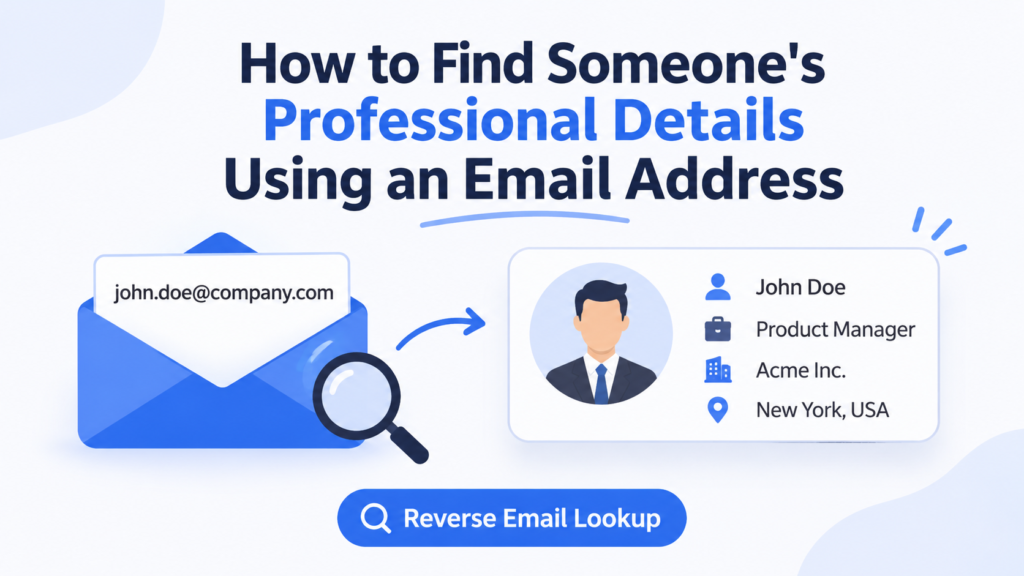
Depending on data availability, the results may include:
- Full name
- Professional job title
- Company name
- Company website or domain
- LinkedIn profile or other professional profile links
- Location and other available professional details
The information returned depends on the email address, data coverage, and available records. Not every email address will produce a complete professional profile.
Why Use an Email to Person Lookup?
An Email to Person Lookup can be useful when you have an email address but need additional context before contacting someone.
Here are some practical ways businesses can benefit from it.
1. Identify Unknown Business Contacts
Receiving emails from unfamiliar people is common in B2B communication. A reverse email lookup can help you understand who contacted you and potentially identify their professional background.
This is especially useful for sales teams handling inbound inquiries, partnership requests, and business conversations.
2. Improve B2B Lead Qualification
Not every contact is the right fit for your business. Knowing a prospect’s available professional details can help sales teams understand their role, company, and potential relevance.
For example, if you’re selling marketing software, identifying whether a contact works in marketing, growth, or management can help you assess whether they match your ideal customer profile.
3. Save Time on Manual Research
Finding professional information manually often requires checking multiple websites and searching different platforms.
Reverse email lookup simplifies this process by allowing you to start with one email address and retrieve available information through a single search.
4. Support Personalized Outreach
Personalization is important in B2B sales and marketing. Knowing a prospect’s name, company, and professional role can help you create more relevant outreach messages.
Instead of sending generic emails, your team can use available contact information to make communication more contextual.
5. Enrich Existing Contact Databases
Businesses often maintain contact lists containing email addresses but missing other important details.
Email to Person Lookup can help enrich these records with additional professional information, making contact databases more useful for sales, marketing, and CRM workflows.
How to Find Someone’s Professional Details Using EnrichmentAPI
EnrichmentAPI makes the reverse email lookup process very easy. You don’t need to manually search multiple platforms or spend time collecting information from different sources.
Follow these steps to find professional details using an email address.
Step 1: Log In to EnrichmentAPI
Start by visiting the EnrichmentAPI website and logging in to your account.
Once logged in, access the enrichment tools available in your dashboard.

Step 2: Open the Reverse Email Lookup Tool
Navigate to the Reverse Email Lookup option in the EnrichmentAPI dashboard.
This tool is designed to help you identify available professional information using an email address.

Step 3: Enter the Email Address
Enter the email address of the person whose professional details you want to find.
Provide any additional details requested by the tool, if applicable. Adding relevant information can help with identifying the intended contact.
For example, you can start with a business email address associated with a potential prospect or existing contact.

Step 4: Run the Search
After entering the required information, submit your search.
EnrichmentAPI processes the lookup and returns the available matching professional information.
Depending on the data available, you may discover details such as:
- Person’s name
- Professional information
- Associated company
- Job title
- Available professional profile information
The completeness of the results depends on the email address and available data coverage.
Step 5: Review Your Results
Review the returned information to understand the person’s professional background.
You can use these details to qualify a lead, update your contact records, or prepare a more personalized business conversation.
One of the practical advantages of EnrichmentAPI is its straightforward credit-based pricing.
Each Reverse Email Lookup search costs just 2 credits.
This makes it a cost-effective option for businesses that need to identify professional contacts without spending heavily on individual lookups.
Whether you’re researching a few prospects or enriching a larger contact list through individual searches, you can manage your usage based on your available credits.
What Professional Information Can You Find with Reverse Email Lookup?
The information available through reverse email lookup depends on the email address and the coverage of the enrichment provider.
Here are some common data points that can help businesses understand their contacts.
| Information | How It Helps |
| Full Name | Identify the person behind an email address |
| Job Title | Understand their professional role |
| Company Name | Identify their current organization |
| Company Domain | Find the associated business website |
| Professional Profile | Discover available professional profiles |
| Location | Understand the contact’s available geographic information |
Having access to these details can make prospect research and contact management more efficient.
Reverse Email Lookup vs. Traditional Email Research
Finding someone’s professional details manually can take time, particularly when you’re researching multiple contacts.
Here’s how reverse email lookup compares with traditional research.
| Factor | Manual Research | Reverse Email Lookup |
| Starting Point | Name or other known details | Email address |
| Research Process | Multiple websites and searches | Centralized lookup |
| Time Required | Often more manual effort | Faster lookup process |
| Data Collection | Manually compile information | Retrieve available matching details |
| Cost Management | Depends on research resources | Credit-based pricing with EnrichmentAPI |
Reverse email lookup doesn’t eliminate the need to verify information, but it can simplify the initial research process and reduce repetitive work.
Why Choose EnrichmentAPI for Reverse Email Lookup?
There are several reasons businesses can consider EnrichmentAPI for professional contact discovery.
Simple Search Workflow
You can access the Reverse Email Lookup tool directly from your dashboard, enter an email address, and run your search without navigating multiple research platforms.
Cost-Effective Pricing
Each lookup costs only 2 credits, making it easier to manage enrichment expenses and perform individual searches as needed.
Useful Professional Information
EnrichmentAPI helps you discover available professional details associated with an email address, supporting lead research and contact enrichment activities.
Multiple Data Enrichment Capabilities
Beyond reverse email lookup, EnrichmentAPI offers additional tools for person enrichment, company enrichment, email finding, email verification, and other B2B data requirements.
This gives businesses access to multiple enrichment capabilities within one platform.
Useful for Different Business Teams
Reverse email lookup can support several business functions, including:
- Sales teams: Identify and qualify potential prospects.
- Marketing teams: Improve contact records for targeted campaigns.
- Recruiters: Research professional contacts.
- Business development teams: Understand potential partners and business connections.
- Lead generation agencies: Enrich available contact information for prospect research.
Best Practices for Getting Better Results from Reverse Email Lookup
To make your reverse email lookup process more effective, consider these practices:
- Use the correct email address: Check for spelling mistakes before submitting a search.
- Prefer relevant business emails: Professional email addresses may provide useful company-related context.
- Add additional details when requested: Relevant information can help identify the intended person.
- Review the returned information: Check whether the available details match the person you’re researching.
- Verify important records: Cross-check information before using it for business decisions or outreach.
- Manage your credits: Since each EnrichmentAPI lookup costs 2 credits, plan your searches according to your requirements.
Always use contact information responsibly and follow applicable privacy and data protection regulations.
Conclusion
Finding someone’s professional details using only an email address doesn’t have to involve hours of manual research. With Reverse Email Lookup, businesses can simplify contact discovery and retrieve available professional information using a single email address.
EnrichmentAPI makes this process straightforward through its Email to Person Lookup functionality. Simply log in, open the Reverse Email Lookup tool, enter an email address, and run your search to access available professional details.
With a cost of just 2 credits per search, EnrichmentAPI offers a cost-effective way to support B2B prospect research, lead qualification, and contact enrichment.
If you want a simpler way to turn email addresses into useful professional information, explore the Reverse Email Lookup tool from EnrichmentAPI.
Frequently Asked Questions (FAQs)
1. What is Reverse Email Lookup?
Reverse Email Lookup is a process of using an email address to discover available information about the person associated with it, such as their name, job title, company, and professional profile details.
2. How can I find someone’s professional details using an email address?
You can use an Email to Person Lookup tool like EnrichmentAPI. Log in to your account, open Reverse Email Lookup, enter the email address, and run the search to retrieve available professional information.
3. How much does Reverse Email Lookup cost on EnrichmentAPI?
Each Reverse Email Lookup search on EnrichmentAPI costs 2 credits, making it a cost-effective option for businesses that regularly research professional contacts.
4. Can I find someone’s company details using their email address?
Yes, a reverse email lookup may return associated company information, such as the company name, domain, and other available professional details. Results depend on data availability.
5. Is Email to Person Lookup useful for B2B lead generation?
Yes. It can help sales and marketing teams identify unknown contacts, understand their professional roles, enrich contact records, and improve lead qualification.
6. Does Reverse Email Lookup work with every email address?
Not necessarily. Results depend on the email address, data coverage, and available records. Some searches may return limited information or no matching professional profile.