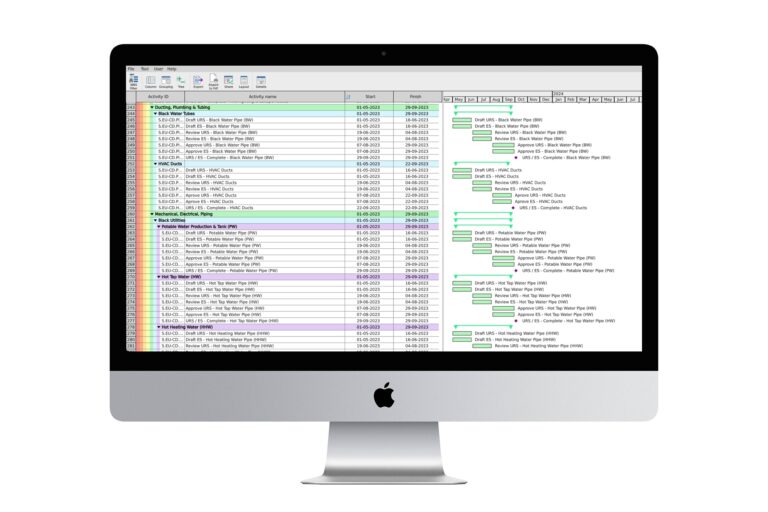
Ever wondered why so many project managers swear by Primavera P6 scheduling? It’s not just about the name. This tool packs a punch with its robust features and flexibility. Let’s break down what makes Primavera P6 such a powerhouse in project management. Whether you’re overseeing a small team or handling a massive project, Primavera P6 can handle it. I’ll walk you through the key elements that make this software a go-to for professionals worldwide. By the end, you’ll see why downloading and integrating this tool could transform your project planning.
Comprehensive Project Management
Primavera P6 Professional Project Management isn’t just a fancy title. It’s a tool that offers a full suite of options to manage your project from start to finish. Imagine having a dashboard that shows you every detail of your project at a glance. You can track tasks, resources, and costs all in one place. This comprehensive view helps in making informed decisions. A friend of mine uses Primavera P6 for his construction projects. He once told me, “It feels like I have a crystal ball for my projects.”
Real-world Example
Consider a large construction firm planning a new skyscraper. They use Primavera P6 to schedule tasks, allocate resources, and monitor timelines. The software lets them spot potential delays and adjust plans before issues arise. This proactive approach keeps projects on track and within budget.
Pro Tip: Use the calendar view in Primavera P6 to visualize project timelines. It helps in spotting overlapping tasks and resource allocation issues.
- Pros: Comprehensive view, detailed project tracking, flexible.
- Cons: Can be complex for beginners, requires training.
Effective Resource Management
Now, why does this matter? Efficient resource management is crucial. With Primavera P6, you can assign resources like materials, labor, and equipment. It ensures that you use your resources wisely. I’ve found that this feature saves a lot of time and money. Imagine knowing exactly how many people you need on a task or how much material you’ll use. This precision helps in reducing waste and controlling costs.
Real-world Example
Think about a software development company. They use Primavera P6 to allocate developers to various tasks. This ensures every developer is working on the right task at the right time. This kind of precision leads to smoother workflows and faster project completion.
Pro Tip: Regularly update resource availability to reflect any changes. This keeps your project plan accurate and reliable.
- Pros: Optimizes resource use, reduces waste, saves money.
- Cons: Requires regular updates, can be data-intensive.
Proactive Risk Management
Here’s the kicker: risk management. Primavera P6 download helps you spot risks before they become problems. The software provides tools to identify potential risks and plan mitigation strategies. This feature is a lifesaver. I remember a project where unexpected supplier issues could have caused delays. Thanks to Primavera P6, we had contingency plans in place.
Real-world Example
In a pharmaceutical company, they use Primavera P6 to manage risks in drug development projects. With its risk analysis tools, they prepare for potential regulatory hurdles and supply chain disruptions.
Pro Tip: Use the risk register in Primavera P6 to document identified risks and mitigation actions. Review it regularly to stay prepared.
- Pros: Early risk detection, better preparation, fewer surprises.
- Cons: Requires constant monitoring, can be complex to set up.
User-Friendly Interface
Wait, let’s back up for a second. A tool is only as good as its usability. Primavera P6 boasts a user-friendly interface. Even though it offers advanced features, the interface is intuitive. You don’t have to be a tech wizard to navigate it. The layout is clean and easy to understand. To be fair, some training helps, but once you get the hang of it, it’s smooth sailing.
Real-world Example
In a marketing agency, new team members quickly adapt to using Primavera P6. They appreciate the simplicity, which allows them to focus on their work rather than struggle with the software.
Pro Tip: Take advantage of online tutorials and training sessions. They can fast-track your learning curve and enhance productivity.
- Pros: Easy to use, clean design, short learning curve.
- Cons: Advanced features can be overwhelming at first.
Scalability for Large Projects
Think about it… Not all projects are created equal. Some are massive, requiring detailed coordination. Primavera P6 scales to meet the needs of any size project. Whether you’re managing a small team or a multi-national project, it adapts. This scalability is a game-changer, allowing you to grow without changing tools.
Real-world Example
A global engineering firm handles projects across continents. They rely on Primavera P6 to coordinate efforts, manage resources, and track progress, ensuring seamless operation worldwide.
Pro Tip: Regularly evaluate project size and scope to adjust Primavera P6 settings for optimal performance.
- Pros: Handles large projects, adaptable, versatile.
- Cons: Can be overkill for small projects, requires robust data input.
Integration Capability
Now, why does this matter? Integration with other tools is crucial in today’s digital world. Primavera P6 integrates with various software applications. This capability allows seamless data flow across platforms. For instance, integrating with ERP systems can enhance data analysis and reporting. I’ve seen how this feature saves time by reducing manual data entry.
Real-world Example
In a manufacturing company, Primavera P6 integrates with their ERP system. This integration streamlines operations, ensuring accurate data transfer between departments and improving efficiency.
Pro Tip: Leverage integration capabilities to connect Primavera P6 with your existing software tools for enhanced functionality.
- Pros: Enhances data flow, reduces errors, saves time.
- Cons: Integration setup can be complex, may require technical support.
Customization Options
Here’s something you might not know: Primavera P6 offers extensive customization options. You can tailor the software to fit your specific needs. Customize dashboards, reports, and views to match your workflow. This flexibility ensures that you get the most out of the software. You won’t be stuck with a one-size-fits-all solution.
Real-world Example
A financial services firm customizes Primavera P6 dashboards to track financial metrics alongside project milestones. This customization provides insights into both project performance and financial health.
Pro Tip: Regularly review and update custom settings to ensure they align with evolving project needs.
- Pros: Tailors to specific needs, enhances usability, improves efficiency.
- Cons: Customization can be time-consuming, may require expertise.
Support and Training
Surprisingly, one of the best features of Primavera P6 is its support and training offerings. Oracle, the company behind Primavera, provides extensive resources. These include online tutorials, community forums, and professional training courses. This support helps users maximize their potential with the software.
Real-world Example
A logistics company invests in Primavera P6 training for their team. As a result, employees become proficient quickly, leading to improved project execution and management.
Pro Tip: Encourage team members to participate in ongoing training sessions to keep skills sharp and updated.
- Pros: Extensive resources, community support, continuous learning.
- Cons: Training can be costly, time investment needed.
Cost-Effectiveness
Let’s get real for a moment. Budget constraints are a reality for most projects. Primavera P6 offers a cost-effective solution. While it may seem pricey upfront, the benefits often outweigh the costs. The software’s ability to prevent project overruns and optimize resource use saves money in the long run.
Real-world Example
A municipal government uses Primavera P6 for infrastructure projects. The software’s efficiency in managing resources and schedules helps them stay within budget, justifying the initial investment.
Pro Tip: Analyze long-term savings from improved efficiency and reduced project delays to justify Primavera P6 costs.
- Pros: Long-term savings, prevents overruns, maximizes resources.
- Cons: High initial cost, requires budget allocation.
Frequently Asked Questions
What is Primavera P6 scheduling?
Primavera P6 scheduling is a project management technique that involves planning, scheduling, and controlling project tasks using the Primavera P6 software.
How does Primavera P6 Professional Project Management work?
Primavera P6 Professional Project Management allows users to manage projects through detailed scheduling, resource allocation, and risk management tools.
Can I download Primavera P6 for personal use?
Yes, you can download a trial version of Primavera P6 from Oracle’s website for personal use or evaluation purposes.
What is a Primavera project planner?
A Primavera project planner uses Primavera P6 to create detailed project plans, schedules, and resource allocations to ensure successful project execution.
Try exploring Primavera P6 for your next project. Share your experiences and thoughts on how it enhances your project management process.