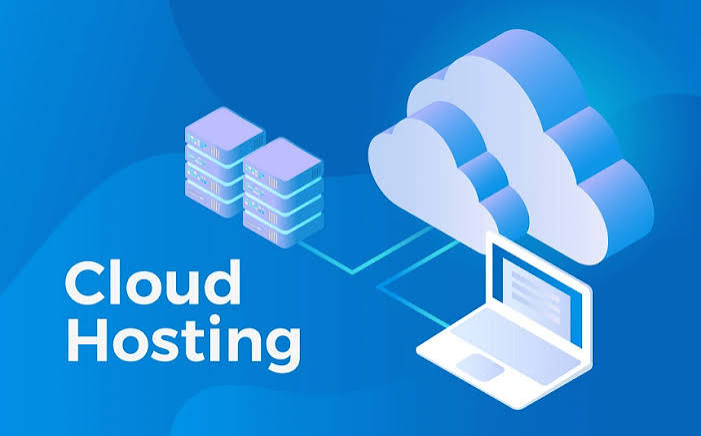
Cloud Hosting is a flexible choice for businesses, e-commerce stores, shopping malls, SaaS applications, and growing websites. In 2026, online traffic can change quickly because of marketing campaigns, seasonal demand, digital services, and increasingly resource-intensive applications.
Cloud Hosting Guide uses a network of connected servers to run websites and applications. Instead of depending entirely on one physical machine, cloud infrastructure can distribute workloads and resources across multiple servers. This can improve scalability and resilience when demand changes.
For example, an e-commerce store may need additional computing resources during a holiday sale. When traffic decreases, the business can reduce its resource usage instead of maintaining the same capacity throughout the year.
This guide explains the main types of Cloud Hosting, its benefits, costs, use cases, common mistakes, and the factors to consider when choosing the best cloud hosting provider in 2026.
What Is Cloud Hosting?
Cloud Hosting is a hosting model that uses a network of connected servers to run websites, applications, databases, and other digital services.
A traditional website may depend primarily on one physical server. Cloud Hosting can distribute workloads across multiple servers or virtualized resources, depending on the architecture and provider.
This approach can be particularly useful when website traffic changes frequently. For example, an e-commerce store may need additional resources during a major promotion and fewer resources during quieter periods.
Cloud Hosting can provide resources such as CPU, RAM, storage, and bandwidth. Depending on the provider and service model, it may also include load balancing, automated scaling, monitoring, backups, security controls, and managed services.
How Does Cloud Infrastructure Work?
Cloud infrastructure consists of interconnected computing, storage, networking, and virtualization resources.
Instead of relying on a single physical machine, workloads can be distributed across multiple servers or availability zones. If one component experiences a problem, properly designed systems may be able to redirect workloads to other available resources.
However, Cloud Hosting does not automatically make an application immune to outages. Businesses still need appropriate backups, monitoring, redundancy, security, and disaster-recovery strategies.
As artificial intelligence and data-intensive applications continue to grow in 2026, cloud infrastructure is becoming increasingly important for businesses that need flexible computing resources.
What Are the Main Types of Cloud Hosting?
Public Cloud Hosting
Public Cloud Hosting uses infrastructure operated by a cloud provider and shared among multiple customers.
It is often suitable for businesses that need flexible resources and the ability to scale infrastructure as demand changes.
Private Cloud Hosting
Private Cloud Hosting is designed for the exclusive use of one organization.
It can provide greater control over infrastructure, security configurations, and resource allocation. Private cloud environments are often considered by organizations with specific compliance, security, or customization requirements.
Hybrid Cloud Hosting
Hybrid Cloud Hosting combines private infrastructure with public cloud resources.
This approach can provide flexibility by allowing businesses to keep certain workloads in a private environment while using public cloud infrastructure for additional capacity or specific services.
Managed Cloud Hosting
Managed Cloud Hosting means that the provider handles some or many infrastructure-management tasks.
Depending on the provider, managed services may include updates, monitoring, backups, security configuration, migration assistance, troubleshooting, and infrastructure administration.
This can be useful for businesses that do not have the technical staff required to manage cloud infrastructure themselves.
Key Benefits of Cloud Hosting
Better Scalability
One of the main advantages of Cloud Hosting is scalability.
Businesses can increase or decrease resources based on traffic and workload requirements. This can be particularly valuable for e-commerce stores, SaaS applications, and websites that experience seasonal or unpredictable traffic.
For example, an online store may require additional resources during a major sale and less capacity during normal periods.
Improved Reliability
Cloud infrastructure can provide better resilience than a single-server hosting setup when it is properly designed with redundancy.
Workloads can potentially be distributed across multiple servers or locations, reducing dependence on a single physical machine.
However, reliability still depends on the provider’s architecture and the application’s configuration. Backups, monitoring, redundancy, and disaster recovery remain important.
Flexible Resource Allocation
Cloud Hosting allows businesses to allocate resources according to their workload.
These resources may include:
- CPU
- RAM
- Storage
- Bandwidth
- Database capacity
- Network resources
For example, a website may require additional CPU and memory during peak business hours but use fewer resources during quieter periods.
Better Performance
Cloud Hosting can improve application performance when resources are properly configured.
Load balancing, caching, high-performance storage, scalable computing resources, and optimized networking can help websites and applications handle increased traffic more effectively.
However, performance is not guaranteed simply because a website is hosted in the cloud. Application optimization, database performance, network configuration, and resource allocation also matter.
Cost Efficiency
Cloud Hosting can be cost-efficient when businesses can scale resources according to actual demand.
Instead of purchasing and maintaining physical infrastructure for the highest expected workload, businesses can use flexible cloud resources and adjust capacity as requirements change.
However, usage-based billing can also increase costs if resources, storage, or data transfer grow unexpectedly. Businesses should monitor usage carefully.
Enhanced Security
Cloud providers can offer advanced security features such as firewalls, identity and access management, encryption, monitoring, DDoS protection, and security logging.
However, security is a shared responsibility. Businesses still need to secure applications, user accounts, databases, passwords, permissions, and other components of their environment.
Cloud Hosting vs. Traditional Web Hosting
| Feature | Cloud Hosting | Traditional Hosting |
| Infrastructure | Distributed or network-based | Often centered on a single server |
| Scalability | Generally high | Often more limited |
| Resource flexibility | High | Usually plan-dependent |
| Reliability | Can be high with redundancy | Depends heavily on server infrastructure |
| Pricing | Usage-based or plan-based | Usually fixed plans |
| Best for | Growing websites and applications | Smaller, predictable websites |
A small brochure website with stable traffic may not need Cloud Hosting. A growing e-commerce store, SaaS application, or high-traffic portal may benefit from the scalability and flexibility of cloud infrastructure.
How Much Does Cloud Hosting Cost?
The cost of Cloud Hosting depends on the resources and services required.
Factors that can affect pricing include:
- CPU usage
- RAM
- Storage
- Data transfer
- Bandwidth
- Database services
- Backup storage
- Managed services
- Security services
- Load balancing
- Monitoring
- Additional software licenses
A small website may require only a modest cloud environment, while a large e-commerce platform or SaaS application may need considerably more computing and storage resources.
When comparing cloud hosting costs, look beyond the advertised starting price. Check the complete pricing structure and determine how usage increases will affect your monthly bill.
Who Should Use Cloud Hosting?
Businesses
Growing businesses can benefit from Cloud Hosting when traffic, applications, or resource requirements change over time.
Cloud infrastructure can provide the flexibility needed to support growth without immediately investing in physical servers.
E-commerce Websites
E-commerce websites can experience significant traffic spikes during sales, holidays, promotions, and seasonal events.
Cloud Hosting can help businesses increase resources when demand rises, provided the application, database, caching, and network architecture are properly configured.
SaaS Applications
SaaS applications often need infrastructure that can handle changing numbers of users, database workloads, API requests, and application processes.
Cloud infrastructure can provide scalable computing and storage resources for these workloads.
Developers and Agencies
Developers and digital agencies can use Cloud Hosting to create development, testing, staging, and production environments.
Cloud platforms can make it easier to deploy applications, create temporary environments, automate infrastructure, and scale resources when needed.
High-Traffic Websites
High-traffic websites need infrastructure capable of handling large numbers of simultaneous users and requests.
Cloud Hosting can provide scalable computing resources, load balancing, caching, monitoring, and other services that can support high-demand websites.
How to Choose the Best Cloud Hosting Provider
Choosing the right Cloud Hosting provider requires more than comparing monthly prices.
Consider the following factors:
- Performance: Check CPU, storage, networking, and overall infrastructure architecture.
- Scalability: Find out how quickly resources can be upgraded or reduced.
- Server Locations: Choose a region close to your primary audience when network latency matters.
- Reliability: Review uptime history, redundancy options, and infrastructure design.
- Security: Check firewalls, access controls, encryption, monitoring, and DDoS protection.
- Backups: Confirm backup frequency, retention periods, and restoration procedures.
- Support: Check response times and the technical level of support included.
- Management Tools: Look for control panels, APIs, monitoring dashboards, and automation tools.
- Pricing: Compare resource limits, usage charges, data-transfer fees, and the total monthly cost.
- Migration: Ask whether website, database, and application migration assistance is available.
Questions to Ask Before Buying Cloud Hosting
Before purchasing a plan, ask:
- Can resources be upgraded without significant downtime?
- Are backups included?
- What happens if traffic suddenly increases?
- Are bandwidth or data-transfer charges billed separately?
- What technical support is included?
- What happens if an infrastructure component fails?
- Are there additional charges for storage, databases, monitoring, or backups?
- What are the renewal or ongoing usage costs?
Clear answers can help prevent unexpected costs and technical problems.
Cloud Hosting for Websites vs. Applications
Different workloads require different infrastructure.
WordPress websites may prioritize PHP performance, database speed, caching, backups, and security.
E-commerce websites need reliable checkout systems, database capacity, caching, security, and infrastructure capable of handling peak traffic.
Web applications and SaaS products may require APIs, queues, automated scaling, databases, containers, monitoring, and observability tools.
Do not choose a cloud plan simply because it has the biggest numbers. Match CPU, memory, storage, bandwidth, database capacity, and management features to the actual workload.
Common Mistakes to Avoid When Choosing Cloud Hosting
Choosing Cloud Hosting based only on price is a common mistake. A low-cost plan may have CPU limits, insufficient memory, restricted bandwidth, limited support, or expensive additional services.
Other mistakes include:
- Ignoring resource limits
- Failing to monitor usage
- Skipping security configuration
- Choosing a server location far from the target audience
- Paying for resources that are rarely used
- Not planning for traffic growth
- Ignoring backup and disaster-recovery requirements
- Overlooking data-transfer costs
- Failing to understand usage-based billing
- Choosing a provider without adequate technical support
Businesses should also monitor their monthly usage because storage, traffic, database consumption, and data transfer can increase cloud costs quickly.
Is Cloud Hosting Worth It in 2026?
For many businesses, Cloud Hosting is worth considering in 2026, but the right choice depends on the workload.
Cloud infrastructure makes sense when a website or application needs scalability, flexible resources, redundancy, multiple environments, or access to modern cloud services.
AI-driven applications and data-intensive workloads are also increasing demand for flexible computing infrastructure.
However, not every website needs a complex cloud environment. If traffic is low and predictable, simpler shared or traditional hosting may be cheaper and easier to manage.
The strongest choice is the infrastructure that matches the application’s actual requirements while leaving sensible room for growth.
Final Thoughts
Cloud Hosting gives businesses a flexible way to run websites and applications while adapting resources to changing demand.
Its main advantages include scalability, resilience, flexible resource allocation, performance options, and access to modern infrastructure services.
The right choice requires more than comparing monthly prices. Review performance, server locations, security, backups, support, resource limits, scalability, and the complete billing structure.
For businesses, shopping malls, e-commerce stores, SaaS companies, and growing websites, the goal is simple: choose infrastructure that supports today’s workload without creating tomorrow’s bottleneck.
Frequently Asked Questions About Cloud Hosting
1. Is Cloud Hosting Better Than Shared Hosting?
For websites that are growing or require more resources, Cloud Hosting can provide greater scalability and flexibility.
However, small websites with low and predictable traffic may be better served by shared hosting because it can offer simpler management and lower costs.
2. Is Cloud Hosting Expensive?
The cost of Cloud Hosting depends on the resources and services you use, including CPU, memory, storage, data transfer, databases, backups, security, and management.
When comparing providers, look at the estimated total monthly cost rather than focusing only on the introductory price.
3. Can Cloud Hosting Handle E-commerce Traffic Spikes?
Yes. Cloud infrastructure can handle increases in traffic when the environment is properly designed and configured.
Businesses should plan for scaling, load balancing, database capacity, caching, security, and application performance before major traffic events.
4. Is Managed Cloud Hosting Suitable for Businesses?
Yes. Managed Cloud Hosting can be a good option for small and medium-sized businesses that do not have dedicated infrastructure specialists.
Depending on the provider, managed services may include monitoring, backups, updates, security configuration, migration assistance, and technical support.
Businesses should confirm exactly which management tasks are included before purchasing a plan.
5. How Should a Business Choose a Cloud Hosting Plan?
Start by evaluating your website or application’s traffic, CPU requirements, memory, storage, bandwidth, database workload, security requirements, and expected growth.
Then compare providers based on reliability, server locations, scalability, support, security, backup options, management features, and total cost.
The best Cloud Hosting plan is not necessarily the cheapest or the most powerful. It is the one that provides the right balance of performance, reliability, flexibility, security, and cost.