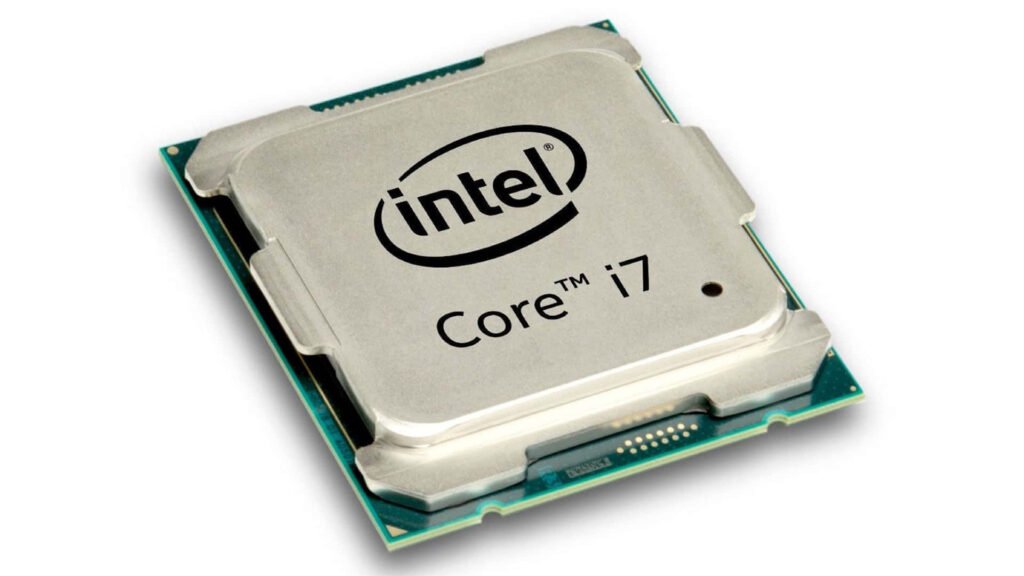
Choosing the right processor is one of the most important decisions when building or upgrading a computer. The processor, commonly known as the CPU, plays a major role in determining how efficiently a computer performs different tasks.
Whether you enjoy gaming, work with professional software, browse the internet, or manage everyday office activities, selecting a suitable CPU can significantly improve your computing experience.
With several models, generations, and specifications available, finding the right option can sometimes feel confusing. Understanding important features such as core count, clock speed, cache memory, power consumption, and compatibility can help you make a better purchasing decision.
Understand Your Computing Requirements
Before purchasing a processor, identify how you plan to use your computer. Different users have different performance requirements, and choosing a CPU based on your workload can help you avoid unnecessary expenses.
For everyday computing, activities such as browsing, watching videos, attending online meetings, preparing documents, and managing emails generally do not require an extremely powerful processor. A mid-range option can provide smooth performance for these activities.
Gaming users may need a more powerful CPU, particularly when playing modern games that involve detailed environments, artificial intelligence, and complex calculations. Similarly, video editors, graphic designers, and software developers may benefit from processors with additional cores and higher multitasking capabilities.
Understanding your requirements first makes it easier to narrow down the available options.
Consider the Number of Cores and Threads
Cores and threads are important specifications to examine when comparing different CPUs. A processor’s cores handle individual computing tasks, while threads allow the system to manage multiple operations more efficiently.
For basic computing, a processor with fewer cores may be sufficient. However, users who regularly multitask or operate demanding applications should consider models with more cores and threads.
Gaming performance also depends on core configuration. Many modern games benefit from multiple cores, although some titles rely more heavily on individual core performance. A balanced processor can therefore provide a better experience across different gaming and productivity workloads.
When comparing Intel Processors, look beyond the core count and consider how the processor performs in the applications you actually use.
Check Clock Speed for Better Performance
Clock speed indicates how quickly a processor can execute instructions. It is generally measured in gigahertz (GHz). A higher clock speed can contribute to faster performance, particularly in applications that depend heavily on single-core processing.
Processors often have two important clock speed specifications:
Base Clock: The standard operating frequency under normal operating conditions.
Maximum Turbo Frequency: The highest frequency the processor can reach under suitable conditions.
For gaming, higher boost frequencies can improve responsiveness and frame rates in certain titles. Everyday applications also benefit from good single-core performance, especially when opening programs or switching between tasks.
However, clock speed should never be the only factor influencing your purchase. Processor architecture, cache size, cooling, and power limits also affect overall performance.
Choose the Right Processor Generation
Processor generations introduce improvements in architecture, efficiency, performance, and supported technologies. Newer models may offer better performance than older alternatives, even when their specifications appear similar.
When comparing different generations, examine their real-world benchmarks instead of relying exclusively on model numbers. A newer processor does not automatically outperform every older model in every workload.
Also consider motherboard compatibility. Different processor generations may require specific motherboard chipsets and CPU sockets. Before purchasing, verify that your selected motherboard supports the processor and that its BIOS version is compatible.
Choosing a suitable generation helps ensure that your computer delivers reliable performance while providing access to modern hardware features.
Evaluate Cache Memory
Cache memory is a small amount of high-speed memory located within the processor. It stores frequently accessed information so the CPU can retrieve data more quickly without repeatedly accessing slower system memory.
Modern processors commonly include multiple cache levels, such as L1, L2, and L3. Each level has a different capacity and purpose.
Cache size can influence gaming performance, particularly in applications that frequently access the same information. It can also contribute to smoother performance in certain productivity workloads.
When comparing processors, check their cache specifications alongside core count and clock speed. A balanced combination of these features is generally more useful than focusing on one specification alone.
Consider Integrated Graphics and a Dedicated GPU
Not every computer requires a separate graphics card. Some processors include integrated graphics that can handle everyday visual tasks, video playback, office applications, and lighter gaming.
Integrated graphics can be particularly useful for budget-friendly desktop computers because they reduce the need for additional graphics hardware.
However, users interested in demanding modern games should generally consider a dedicated graphics card. A powerful GPU can deliver better visual quality, higher resolutions, and improved gaming performance.
If you plan to purchase a processor without integrated graphics, make sure your computer has a compatible dedicated GPU. Also remember that integrated graphics capabilities vary between processor models, so check the specifications before buying.
Check Power Consumption and Cooling Requirements
Processor performance is closely connected to power consumption and temperature management. More powerful CPUs can generate considerable heat, especially during demanding gaming sessions or intensive workloads.
A suitable cooling solution helps maintain stable performance and protects hardware from excessive temperatures.
Before buying, consider the following:
- Check the processor’s power specifications.
- Choose a compatible air or liquid cooling solution.
- Ensure your computer case provides adequate airflow.
- Select a reliable power supply with sufficient capacity.
- Follow the manufacturer’s cooling recommendations.
Good cooling is particularly important for gaming computers because extended sessions can place continuous pressure on the processor.
Compare Price and Overall Value
Your budget should influence your processor selection, but purchasing the cheapest available option is not always the best decision.
Instead, compare the performance, features, compatibility, and long-term value of different models. A reasonably priced mid-range processor may provide everything an everyday user needs, while gaming enthusiasts may benefit from investing in a more capable CPU.
When comparing Intel Processors, consider the total cost of your computer upgrade. A processor may require a new motherboard, additional cooling, or other compatible components. Including these expenses in your budget will help you make a more practical decision.
Review Gaming and Productivity Benchmarks
Benchmarks provide useful information about how a processor performs under different conditions. They allow buyers to compare CPUs using measurable results rather than relying only on advertised specifications.
For gaming, pay attention to average frames per second (FPS), frame consistency, and performance in the games you regularly play. If you enjoy competitive games, a processor that delivers stable high frame rates can improve your overall experience.
For productivity, examine benchmarks involving video editing, rendering, compression, and multitasking. These tests can help you understand whether a processor is suitable for your professional requirements.
Comparing real-world benchmarks for Intel Processors can help you identify the best balance between performance and price. Intel also provides useful guidance for evaluating gaming CPU specifications.
Why Choose IT Networks Trade?
IT Networks Trade aims to help customers explore suitable computer hardware and technology products for their personal and professional requirements. Whether someone is upgrading an existing computer or planning a new system, selecting reliable components is essential for achieving good performance and long-term value. Customers looking for computer processors and related hardware can consider IT Networks Trade when exploring technology solutions that match their computing needs and budgets.
Conclusion
Choosing the right processor requires careful consideration of performance, budget, compatibility, and intended usage. Everyday users can focus on efficiency and reliable multitasking, while gaming enthusiasts should prioritize strong processing performance, suitable core configurations, and compatibility with dedicated graphics cards.
By comparing specifications, reviewing benchmarks, and understanding your requirements, you can make a confident purchasing decision. A well-balanced processor will help ensure smooth everyday computing, enjoyable gaming sessions, and dependable performance for years to come.