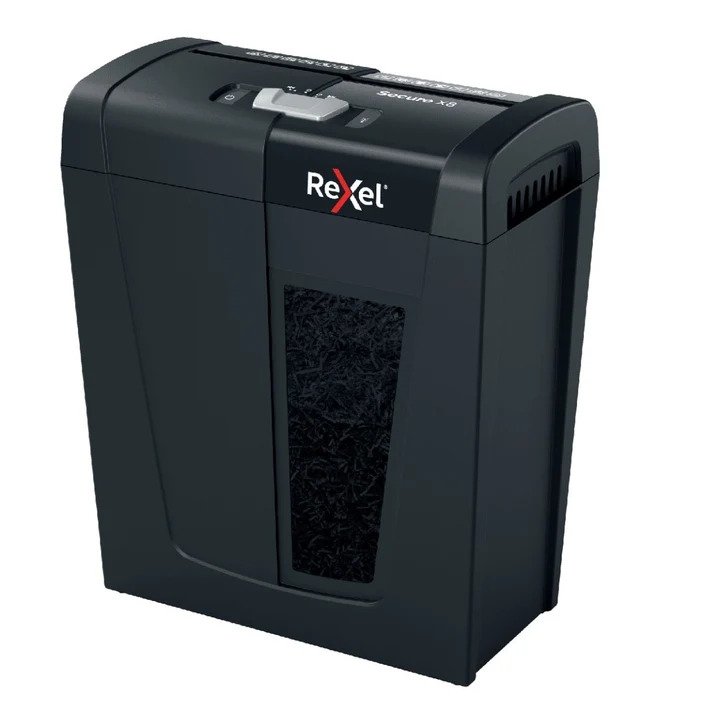
When you have a large stack of documents to destroy, manually feeding every sheet into a machine can quickly become inconvenient. This is where an automatic paper shredder can make document disposal faster and easier. Instead of continuously placing individual sheets into the feed slot, an AutoFeed model allows users to load a larger quantity of paper and let the machine handle the shredding process.
For homes, home offices, businesses, and organizations that regularly deal with paperwork, choosing the right paper shredder can improve both convenience and document-management efficiency.
But how does an automatic shredder work, and is it worth choosing over a conventional model?
This guide explains how automatic paper shredders work, what features to consider, and which situations make an AutoFeed shredder a practical choice.
What Is an Automatic Paper Shredder?
An automatic paper shredder, often called an AutoFeed paper shredder, is designed to process multiple sheets of paper automatically.
Traditional shredders generally require users to feed documents manually through the shredding slot. With an automatic model, you can place a stack of compatible documents into a dedicated paper tray, activate the machine, and allow it to feed and shred the documents automatically.
The basic process is:
- Load the documents into the AutoFeed tray.
- Close or secure the tray if required.
- Select the appropriate operating mode.
- Start the shredding cycle.
- The machine automatically feeds documents into its cutting mechanism.
- Shredded material collects inside the waste bin.
This makes automatic shredders particularly useful when document disposal involves dozens or hundreds of sheets.
Why Choose an Automatic Shredder?
The main advantage of an automatic shredder is convenience.
With a conventional shredder, a person may need to stand beside the machine and continuously feed documents. When dealing with a large pile of paperwork, this can become repetitive and time-consuming.
An automatic model can reduce the amount of manual interaction required.
1. Less Manual Feeding
The most obvious benefit is that you do not need to feed every document individually.
You can load a suitable stack and allow the machine to process it automatically.
2. Better for Large Document Batches
Businesses often accumulate documents that need to be destroyed in batches. An AutoFeed machine can be useful when employees need to process a significant amount of paperwork.
Instead of shredding a few pages at a time, the user can load a larger batch and let the machine work through it.
3. Improved Workplace Convenience
In an office environment, employees have other responsibilities besides document disposal. An automatic shredder machine can reduce the amount of time spent standing at a shredder.
This can make routine document destruction easier to incorporate into office workflows.
4. Useful for Regular Document Disposal
If your home office or business frequently generates paperwork containing confidential information, an automatic shredder can provide a convenient way to handle documents regularly rather than allowing unwanted paperwork to accumulate.
Automatic vs Manual Paper Shredders
The best choice depends on how much paper you normally shred.
| Feature | Manual Shredder | Automatic/AutoFeed Shredder |
| Feeding | Individual/manual feeding | Automatic feeding |
| Best for | Small workloads | Larger batches |
| Convenience | Requires regular attention | Requires less supervision |
| Typical use | Occasional shredding | Frequent document disposal |
| Workflow | Feed, shred, repeat | Load, start, monitor |
| Productivity | Suitable for limited documents | Better suited to batch processing |
A manual shredder can be perfectly adequate for occasional home use. However, if you regularly need to destroy large quantities of paperwork, an automatic model may offer greater convenience.
How Much Paper Can an AutoFeed Shredder Handle?
Automatic shredders are available in different capacities.
Some are designed for relatively small batches, while larger office models can accommodate substantially more paper.
For example, Toyzinn’s current shredder range includes Rexel AutoFeed+ models designed for automatic feeding capacities of 150, 600, and 750 A4 sheets.
This illustrates an important point when choosing an automatic paper shredder: capacity matters.
A machine designed for occasional personal use does not necessarily provide the same workflow advantages as a high-capacity office shredder.
Consider Your Typical Paper Volume
Before buying, estimate how much paper you usually need to destroy in one session.
Ask yourself:
- Do I shred only a few documents every week?
- Do I regularly process paperwork in batches?
- Does my business generate large quantities of confidential documents?
- Will several employees use the machine?
- How frequently will the shredder operate?
Your answers can help determine the appropriate capacity.
What Types of Documents Can You Shred?
A paper shredder can be useful for many types of unwanted documents.
Common examples include:
- Old invoices
- Bank statements
- Receipts
- Printed reports
- Outdated contracts
- Employee records
- Customer documents
- Address labels
- Internal business paperwork
- Expired forms
- Unused printed copies
However, always check the manufacturer’s instructions before feeding unusual materials into a shredder.
Some machines are designed primarily for standard paper, while particular models may support additional materials such as staples, paper clips, cards, or other items.
Automatic Shredders and Document Security
Convenience is important, but security should remain a major consideration.
Documents can contain names, addresses, account information, business records, financial details, or other information that should not simply be thrown into regular waste.
The cutting method used by the machine affects how difficult the shredded material is to reconstruct.
For confidential paperwork, buyers commonly consider cross-cut or micro-cut shredding rather than relying solely on basic strip-cut shredding.
The appropriate security level depends on the sensitivity of the documents and your organization’s requirements.
What Is the Difference Between AutoFeed and Regular Feeding?
The cutting process may be similar, but the main difference is how documents enter the machine.
A standard shredder usually requires:
Document → Feed slot → Cutting mechanism → Waste bin
An AutoFeed model typically works more like:
Document stack → Automatic feeder → Cutting mechanism → Waste bin
The automatic feeder is what makes the workflow different.
Instead of repeatedly inserting sheets, the user loads the feeder and starts the cycle.
Features to Check Before Buying an Automatic Paper Shredder
Not every AutoFeed shredder is designed for the same workload. Before purchasing one, consider the following features.
1. Automatic Feed Capacity
This is one of the most important specifications.
Check how many sheets the machine can automatically process and whether that capacity matches your typical workload.
A small office with occasional shredding needs may not require an extremely high-capacity machine.
2. Security Level
Consider the sensitivity of the documents you intend to destroy.
For ordinary paperwork, a lower security level may be sufficient. For confidential information, a more secure cutting method may be preferable.
3. Waste Bin Capacity
The shredded paper eventually has to go somewhere.
A larger waste bin means fewer interruptions for emptying the machine.
This becomes particularly important when processing large quantities of documents.
4. Sheet Capacity
If you plan to use the manual feed slot as well, check the maximum number of sheets the machine can accept manually.
Never assume that automatic-feed capacity and manual-feed capacity are the same.
5. Operating Time
Look at the machine’s recommended operating cycle.
If the shredder will be used frequently, especially in an office, its operating capacity should match the expected workload.
6. Jam Prevention Features
Paper jams can interrupt document disposal and become frustrating during large shredding jobs.
Features designed to reduce paper jams can therefore be valuable, particularly for frequent users.
7. Noise Level
If the machine will be used in an office, library, reception area, or home workspace, noise can also influence your choice.
A quieter machine may be more comfortable when shredding is performed regularly around other people.
Is an Automatic Paper Shredder Good for a Home Office?
Yes, depending on your workload.
A home office may generate paperwork such as:
- Utility bills
- Financial statements
- Tax-related documents
- Receipts
- Business records
- Old client documents
- Printed personal information
If you only need to destroy a few sheets occasionally, a basic paper shredder may be sufficient.
However, if you work from home and regularly accumulate documents, an automatic model can save time by allowing you to load multiple pages and let the machine process them.
Is an AutoFeed Shredder Suitable for Businesses?
Automatic shredders can be especially useful for businesses because offices often generate substantial amounts of paperwork.
Instead of assigning someone to continuously feed documents into a shredder, an employee can prepare a batch, load the machine, and continue with another task while the automatic cycle runs.
For organizations with larger document volumes, high-capacity models may be worth considering.
The key is to match the machine’s specifications with the organization’s actual workload rather than simply choosing the largest available model.
How to Use an Automatic Paper Shredder Efficiently
Following a consistent process can make document disposal easier.
Step 1: Separate Documents
Remove documents that should not be shredded and separate paperwork according to your organization’s document-retention procedures.
Step 2: Check for Non-Paper Materials
Inspect the documents for items that the machine may not support.
Follow the manufacturer’s recommendations regarding staples, paper clips, plastic materials, cards, or other objects.
Step 3: Prepare the Stack
Place the documents into the automatic feeder without exceeding its recommended capacity.
Step 4: Start the Machine
Activate the appropriate automatic mode.
Step 5: Monitor the Process
Although AutoFeed machines reduce manual feeding, users should still follow the manufacturer’s safety and operating instructions.
Step 6: Empty the Bin
Once the waste container approaches its recommended capacity, empty it according to the manufacturer’s instructions.
Common Mistakes to Avoid
Even an automatic machine requires proper use.
Overloading the Feeder
Putting more paper into the feeder than recommended can increase the likelihood of jams or poor performance.
Ignoring Maintenance
Automatic operation does not mean maintenance is unnecessary. Cutting components and other parts still require appropriate care.
Using Unsupported Materials
Do not assume every shredder can process every type of material.
Always check the manufacturer’s specifications.
Ignoring the Waste Bin
A full waste bin can affect performance and create unnecessary mess.
Choosing Capacity Based Only on Price
The cheapest machine may not be the most suitable option if your workload is high.
Instead, compare capacity, security, operating requirements, and expected usage.
How to Choose the Right AutoFeed Shredder
A simple decision process can help.
For occasional personal use:
Choose a compact model with an appropriate manual or small automatic capacity.
For a home office:
Consider a model that balances automatic feeding, security, bin capacity, and noise.
For a small business:
Look for greater sheet capacity and a machine designed for regular operation.
For a larger office:
Prioritize high-capacity automatic feeding, appropriate security, waste-bin capacity, and reliable operation.
For highly sensitive documents:
Pay particular attention to the shred size and applicable security standards.
Should You Buy an Automatic Paper Shredder?
An automatic paper shredder is worth considering if you regularly deal with large quantities of documents and want to reduce manual feeding.
It can be particularly useful for:
- Home offices
- Small businesses
- Corporate offices
- Administrative departments
- Accounting teams
- HR departments
- Organizations handling confidential paperwork
If your shredding workload is very small, a simpler manual model may be more practical.
The best machine is not necessarily the biggest or most expensive one. It is the one that matches your document volume, security requirements, available workspace, and frequency of use.
Final Thoughts
Automatic shredders provide a convenient alternative to manually feeding every document. Their biggest advantage is the ability to process batches of paper with less user interaction, making them particularly useful for offices and people who regularly deal with paperwork.
Before choosing an automatic paper shredder, consider feed capacity, security level, waste-bin size, operating time, noise, maintenance requirements, and the amount of paper you normally process.
If you are comparing different models, explore Toyzinn’s paper shredder machine collection to find a shredder suited to your document-disposal needs.
And when you’re shopping for more products for your home, office, or family, you can explore toys near me and discover more from Toyzinn.
Frequently Asked Questions
1. What is an automatic paper shredder?
An automatic paper shredder is a machine that can automatically feed and shred a stack of documents, reducing the need to manually insert each sheet.
2. Is an AutoFeed shredder better than a normal shredder?
It depends on your workload. AutoFeed shredders are generally more convenient for larger batches, while traditional manual shredders can be suitable for occasional shredding.
3. How many sheets can an automatic shredder handle?
Capacity varies by model. Some are designed for relatively small batches, while high-capacity office models can automatically process hundreds of sheets.
4. Can I leave an automatic shredder running unattended?
Follow the manufacturer’s operating and safety instructions. Automatic feeding reduces manual interaction, but users should not assume that every machine is designed for completely unattended operation.
5. Are automatic shredders suitable for offices?
Yes. They can be particularly useful in offices where employees regularly need to destroy large quantities of paperwork.
6. Are AutoFeed shredders secure?
Security depends on the shredder’s cutting method and security rating. Cross-cut and micro-cut machines can provide greater document fragmentation than basic strip-cut models.
7. Can an automatic shredder shred confidential documents?
Yes. Automatic shredders can be used for confidential documents, provided the machine’s security level is appropriate for the sensitivity of the information.
8. What should I consider when buying an automatic paper shredder?
Consider automatic feed capacity, shred size, security level, waste-bin capacity, operating cycle, noise, jam-prevention features, and the volume of documents you normally shred.
9. Can an AutoFeed shredder replace a manual shredder?
It can handle many of the same tasks while reducing manual feeding. However, some users may still find a manual feed useful for individual documents or small jobs.
10. Is an automatic paper shredder worth buying for a home office?
If you regularly handle large quantities of paperwork, an automatic shredder can save time and make document disposal more convenient. For occasional shredding, a smaller manual model may be enough.